A Close-Up or a Full-Body Pet Photo?
Published 2026-09-13
Choose a close-up or full-body photo for custom pet artwork. Compare facial detail, posture and framing before planning a temporary tattoo sheet or Name Tag preview.
Artwork generation is available. Upload a photo and choose an available style. Each successful artwork uses 1 credit; failed generations return their reserved credits. Purchasing is not open yet. Coming Soon products remain previews.
Start With What You Want to Keep
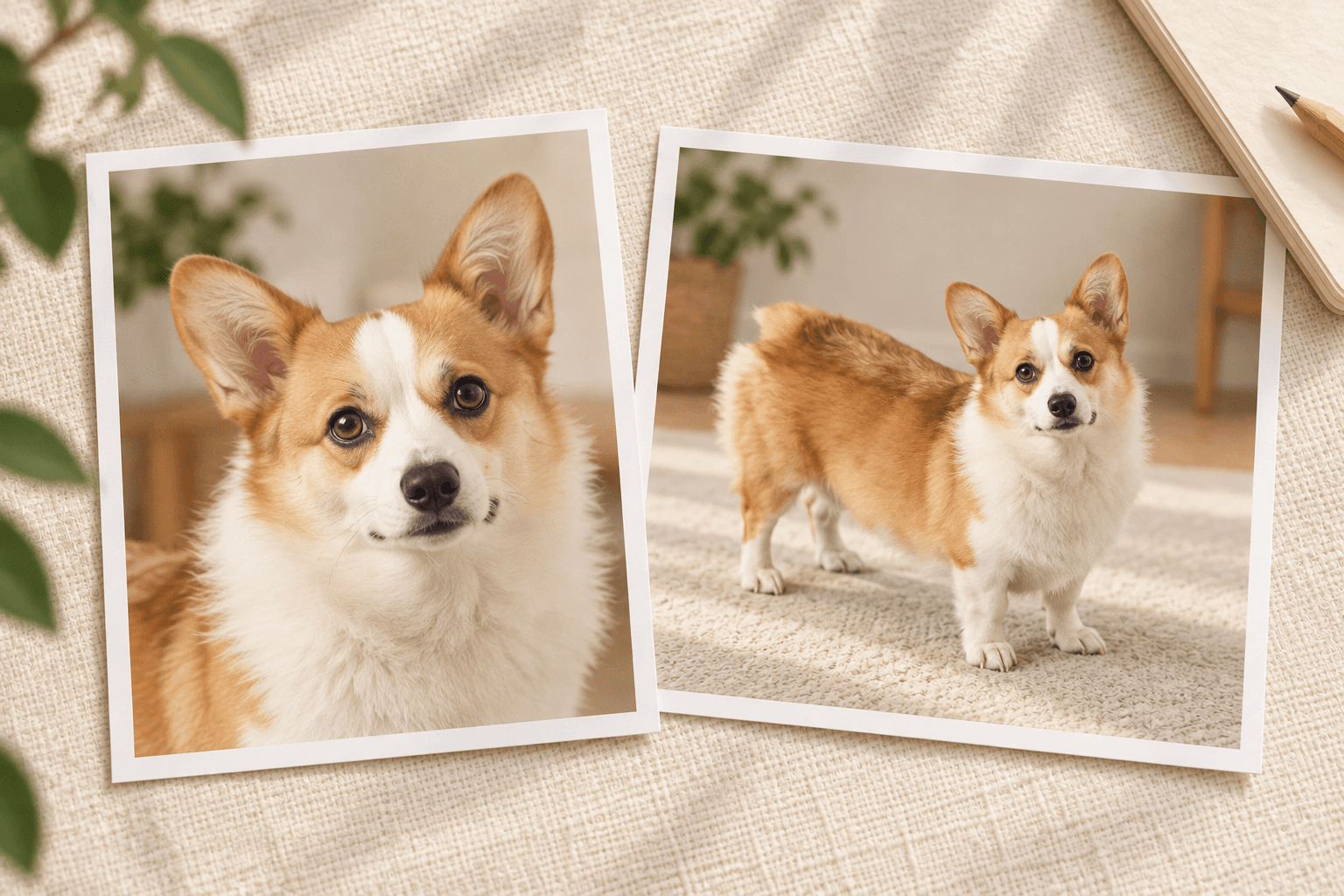
Choose a close-up when your pet’s expression and facial markings are the main story. Choose a full-body photo when their stance, proportions or distinctive outline matter just as much. The useful question is not which photo looks more professional, but which one clearly shows the features you want in the artwork.
Upload a photo, choose an available style and create artwork, or reuse an artwork already in your gallery. Check the service status shown on this page and in the creation flow. Account generation limits are shown in the creation flow. Purchasing is not open yet, and Name Tags and the other Coming Soon products are not available to buy.
Choose a Close-Up for Expression and Markings
A clear face-focused photo gives you a useful reference for the eyes, muzzle, ears and familiar patches of color. It is a good starting point when what you love is a crooked smile, a dark patch over one eye or the way your pet looks at you.
Keep both ears visible when they are part of the outline you want. Check that the eyes and muzzle are sharp, rather than choosing a photo only because its background is pretty. A close-up still needs breathing room: cropping through an ear or the chin removes information you may later wish you had kept.
For example, a cat looking toward the camera may show its facial markings more clearly than a distant photo of the same cat curled up on a sofa. Choose the frame that makes those markings easy to inspect.
Choose a Full-Body Photo for Pose and Outline
Use a full-body reference when you want to keep a recognizable pose: a corgi’s low stance, a dog’s upright ears and long legs, or a cat’s curved tail. Leave space around the ears, paws and tail, and check that furniture or another animal does not hide the parts you want to include.
The face still matters. Enlarge the original photo and check whether you can see the eyes and key coat markings. A tiny pet in a large room may fit entirely inside the frame while providing very little useful detail.
If your only photo is a tight headshot, take another photo before planning a full-body composition. The missing body and pose are not recorded in that headshot; an AI interpretation is not a reliable record of those details.
Match the Photo to an Existing Style
Use the examples in TailGift’s style guide to compare line, color and texture. Minimal Line benefits from a clear outline and separated features. Color Semi-Realistic gives you more color and shading to compare with facial markings. American Retro Narrative adds an illustrated story, so review how the face relates to the surrounding scene.
Photo framing and art style are separate choices. A full-body photo does not guarantee a full-body result in every style or creation mode. Look at the style’s reference comparison and notes, and check whether it is available to select or marked Coming Soon. After generation, review the resulting markings, expression and outline before choosing an artwork.
Review the Artwork Again in the Product Layout
After choosing or reusing artwork, check it in each product’s own design preview. On an A4 temporary tattoo sheet, review every portrait at the size you plan to use. A small face inside a full-body artwork can become harder to distinguish when the whole design is reduced. Leave enough room between separate artworks to make the layout easy to review.
For a Name Tag, check the portrait’s position and how it shares space with the name and phone number around the front edge. The design preview can be saved for later while Name Tags remain Coming Soon. A screen preview is useful for checking placement; it is not a physical-size or finished-material sample.
Reusing an existing artwork does not request a new generation or spend generation credits. Each product keeps its own design settings, so review the tattoo sheet and Name Tag separately.
Make a Final Photo Check
Before settling on your reference, check these five things: The face and distinctive markings are sharp. The ears, chin, paws and tail you want are inside the frame. Light makes the coat colors easy to see, without a heavy filter. The pet is large enough in the original image to inspect clearly. The framing supports the portrait or pose you actually want.
Keep the original file rather than a small screenshot. The photo guide lists the current upload requirements and HEIC preparation details. If you are comparing two photos, choose the one that shows the important features most clearly, then use the style guide and Shop to plan where the artwork could go.