What to Check in Your Pet Gift Design Before Submitting an Order
Published 2026-09-16
Review your pet artwork, placement, spelling, product details, quantities and address before submitting a custom gift design as a pending-payment order on TailGift.
Artwork generation is available. Upload a photo and choose an available style. Each successful artwork uses 1 Ink point; failed generations return their reserved Ink points. Payment is not open yet. You can save your design and submit a pending order; outstanding specifications are confirmed before production.
Start With the Design You Actually Want to Submit
A favorite pet portrait is the starting point for a custom gift, but it is not the whole design. The product, artwork placement, lettering and quantity also need a final look. A saved preview, a submitted order and a paid order are different stages.
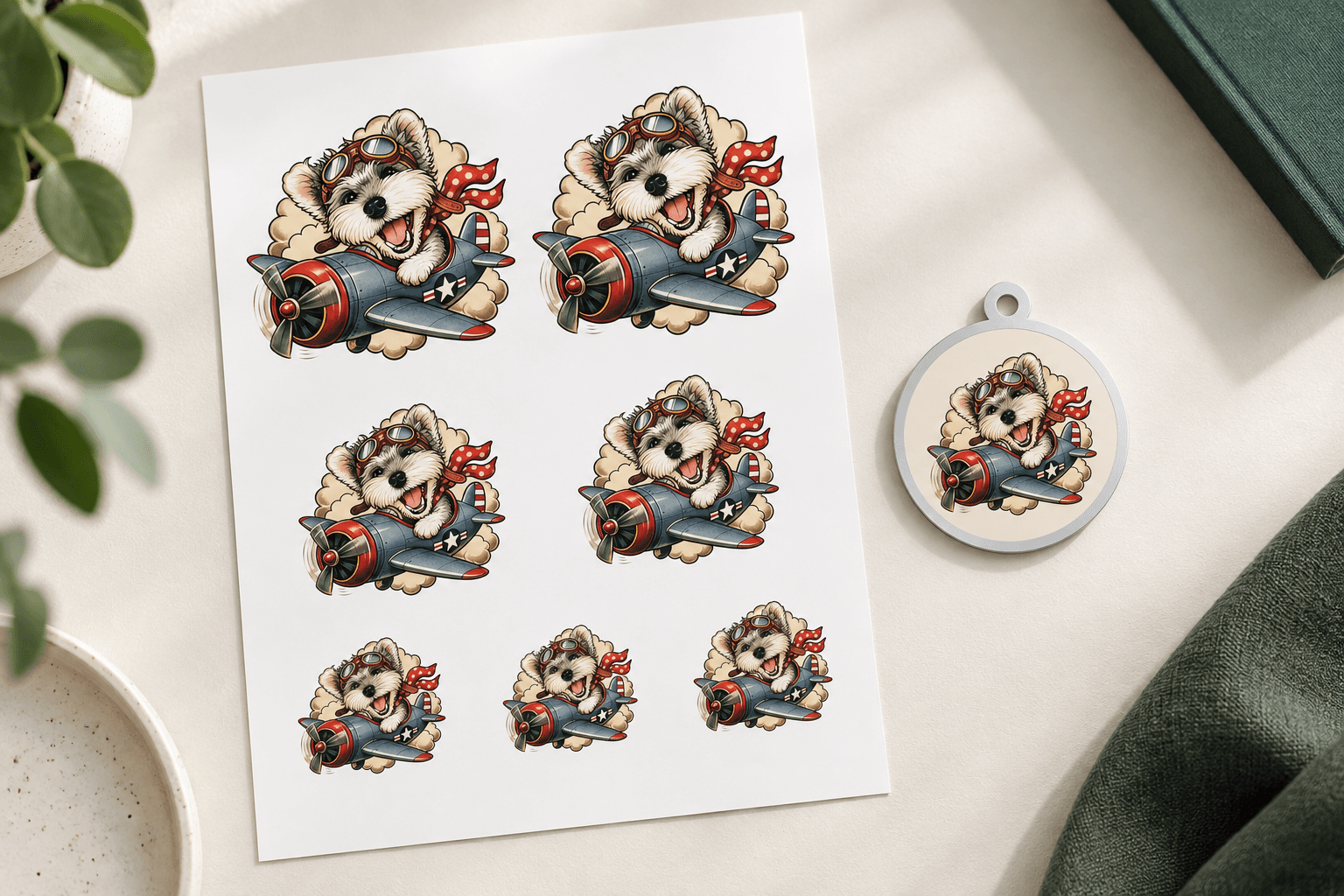
Start by opening the exact design you intend to use. If you tried several versions, compare the selected portrait with your favorite rather than relying on a small thumbnail or remembering which one you last edited. The design illustration above is a concept, not a photograph of a manufactured sample.
Check the Pet and the Crop Together
Look first at the features that make the portrait recognizable: the eyes, ear shape, muzzle and distinctive coat markings. Then check how those features sit within this product's preview. An ear or a decorative detail that looks fine in the original artwork can become awkward when the portrait is moved toward an edge.
Use the placement controls available in that product's editor. Check the size, position and rotation, then look again at a smaller on-screen view. Keep the face easy to read and check whether a message competes with the portrait. A screen preview helps you assess layout; it does not establish the finished physical size, surface texture or print quality.
If you use the same artwork for two gifts, review both layouts. A composition that works on a sheet may need different placement on a round tag. Reusing an existing portrait does not itself request a new generation.
Read Every Letter and Number
Read customer-entered text separately from the picture. Check the pet's name, capitalization and any short message. For a Name Tag, check the phone number digit by digit as well as the name. Do not assume that a correctly spelled name in another saved design has carried into this one.
Review the text at its actual position in the preview. A longer message may be harder to read or sit too close to the portrait. Use only the text fields supported by the selected product; artwork containing decorative lettering is not a substitute for checking the details you entered yourself.
Confirm the Product and Its Outstanding Details
Check the product name and any size or option you selected. Read the specification status as well as the main image. If dimensions, material or production details are marked for confirmation, treat them as outstanding questions rather than interpreting the preview as approval of those details.
For a phone case, a requested phone model does not by itself confirm that a matching case is available. For a set or pack, read what one unit contains instead of assuming that the quantity always means individual pieces.
Name Tags have a separate proof step: save the design, request a production proof, and review and approve it before checkout. Changing the saved design requires a new proof. Other products do not automatically share this same review process, so follow the instructions for the item you selected.
Review the Selected Items and Quantities
In the cart, check which items are selected for this submission. A design can remain saved in your cart without being included in the order you are reviewing. Remove accidental duplicates from the selection and check each quantity after any edits.
Distinguish extra copies of one design from a different design. For tattoo sheets, changes to artwork or layout can affect how an additional design is priced; use the itemized quote rather than assuming every additional sheet is an identical copy. For packs or sets, confirm both the number of packs or sets and the contents of each.
Read the current order estimate, including discounts and shipping, instead of adding up product-card prices from memory. Tax or specifications still awaiting review should not be treated as finalized simply because an estimated total is visible. If the estimate expires, update it and review the refreshed details before submitting.
Check the Address on This Order
Verify the recipient's full name, contact phone number, street address, apartment or unit, city, state and ZIP code. Check the address shown on this order even when it came from your saved address book. A gift recipient may need a different address from your own default.
The current shipping region is the contiguous 48 US states and Washington, DC. If the destination is outside that region, do not substitute another state to pass the form. Resolve the destination with TailGift before proceeding.
A complete address helps prevent avoidable follow-up, but submitting it is not a shipping confirmation or a delivery-date promise.
Understand What Happens After Submission
At the time of writing, TailGift accepts pending-payment order submissions, while real payment is not open. The review screen states that no payment is collected today. Submitting the design records an order awaiting payment; it does not mean the item has been paid for, entered production or shipped.
After submitting, open the order record and check the saved items and status. Production requires payment, confirmed specifications and checked production files. Any details still marked for confirmation remain to be resolved before the item can be made.
If the connection is interrupted and the review screen offers Recover this order, use that recovery option to check the original submission. Avoid starting a second order just because a response was slow. Keep the order reference when contacting support about a change or an outstanding detail.
Your Final Check
Before you submit, confirm these six points: the intended pet artwork is selected; its placement keeps the important features visible; entered names and numbers are correct; the product details and any outstanding specifications are understood; selected items and quantities match the current estimate; and the delivery details are correct.
If you are still choosing a gift, return to Shop and open the relevant product's design flow. If the portrait itself needs work, revisit the photo or style guidance first. Submit when you are comfortable with the design and understand the order's current payment and production status.