Pet Portrait or AI Creativity: Which Mode Should You Choose?
Published 2026-09-14
Choose between Pet portrait and AI creativity on TailGift, understand how mode differs from style and framing, and plan your first pet artwork.
Artwork generation is available. Upload a photo and choose an available style. Each successful artwork uses 1 credit; failed generations return their reserved credits. Purchasing is not open yet. Coming Soon products remain previews.
Start With What You Want to Keep or Reimagine
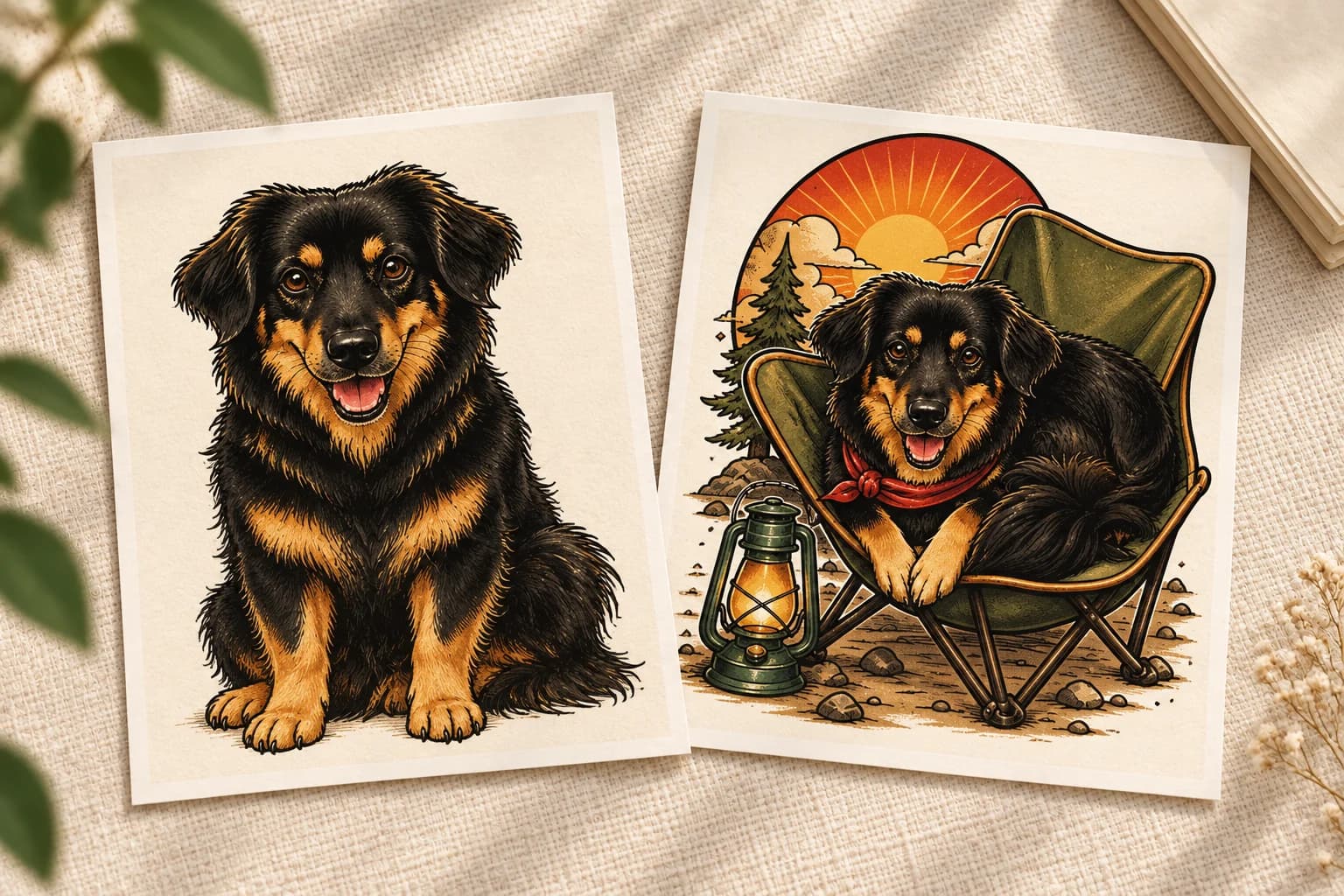
Before choosing a style, decide what you want the artwork to say about your pet. Do you want their familiar appearance to be the main focus, or would you enjoy seeing them in an imagined role or story? That is the useful starting point for choosing between Pet portrait and AI creativity on TailGift.
Upload your reference photo first. On the style-selection step, you can choose a creation mode, framing and an available art style. These are separate choices: a mode sets the creative direction, a style changes the visual treatment, and framing guides how much of the subject appears.
Choose Pet Portrait for Their Familiar Appearance
Pet portrait is the mode described in the creator as staying true to your pet's natural appearance. Start here when recognizable features matter most to you: a particular ear shape, a white muzzle, dark eyebrows or an uneven patch of fur.
This does not mean the result will be a photograph. Your selected art style still affects the lines, colors and level of detail. A simplified illustration may leave out small markings that a more detailed treatment emphasizes. AI can also change features, so this mode is a direction rather than a guarantee of exact likeness.
Use a clear photo in which the features you care about are visible. A sharp face with readable eyes and coat markings gives you a better reference to judge against than a distant pet hidden in shadow.
Choose AI Creativity for a New Role or Story
AI creativity is the mode described as giving your pet a new role and story. Try it when you are open to an imaginative interpretation rather than keeping the scene close to the reference photo.
The available style still matters. A story-led illustration and a restrained line drawing offer different visual possibilities. Read the style name and look at its example before choosing; changing the mode does not make every style produce the same kind of scene.
Treat the result as something to review, not a promise of a particular costume, prop or background. The creator's mode choice is not a custom scene-writing field. If you have one exact imagined scene in mind, do not assume that selecting AI creativity will reproduce it.
Keep Mode, Style and Framing Separate
Mode answers the question: familiar appearance or a more imaginative direction? Style answers: what visual language should the artwork use? Framing answers: how much of the subject should be included?
TailGift currently offers Auto, Head, Half body and Full body framing choices. These guide the composition; they cannot turn a cropped reference into reliable evidence of unseen paws, a tail or hidden markings. Choose a photo that shows the parts of your pet that matter to the result.
For a useful first comparison, keep the photo and framing consistent and change one choice at a time. Comparing different photos, modes and styles all at once makes it harder to understand which change you prefer. Do not assume that Pet portrait always removes the background, or that AI creativity always adds a scene.
Use You & Your Pet for a Shared Photo
If the goal is artwork of you together, the creator also has a separate You & your pet mode, described as creating together from a shared photo. Choose a reference in which both faces are clear and neither subject is heavily obscured.
That is a different starting point from choosing a mode for a single pet. A solo pet photo does not provide a reference for your appearance, and a tightly cropped selfie may give little information about the pet's body. Match the reference to the people, pet and framing you want to review in the finished artwork.
Compare Deliberately, Then Save a Favorite
Start with one available style if you are unsure. The current credit rules provide 10 credits at registration, with 1 credit used per artwork. The creator can offer up to four styles in a batch, subject to your balance, remaining generation allowance and current availability. Credits reserved for a failed generation are returned; generating another artwork is a new request.
When a result arrives, compare it with your reference. Check the eyes, ear shapes, muzzle, coat patches and visible limbs. For an imaginative result, also check whether the added story still feels like your pet. Choose a favorite because it works for you, rather than assuming that either mode guarantees a perfect result.
Save artwork you want to keep, then reuse it in the supported product-design flows when useful. Artwork generation and product purchase are separate capabilities; saving an artwork or previewing a design does not place an order. The generator guide and current status notice explain how to get started today.